Doodle Pad
Draw, paint and stamp anything
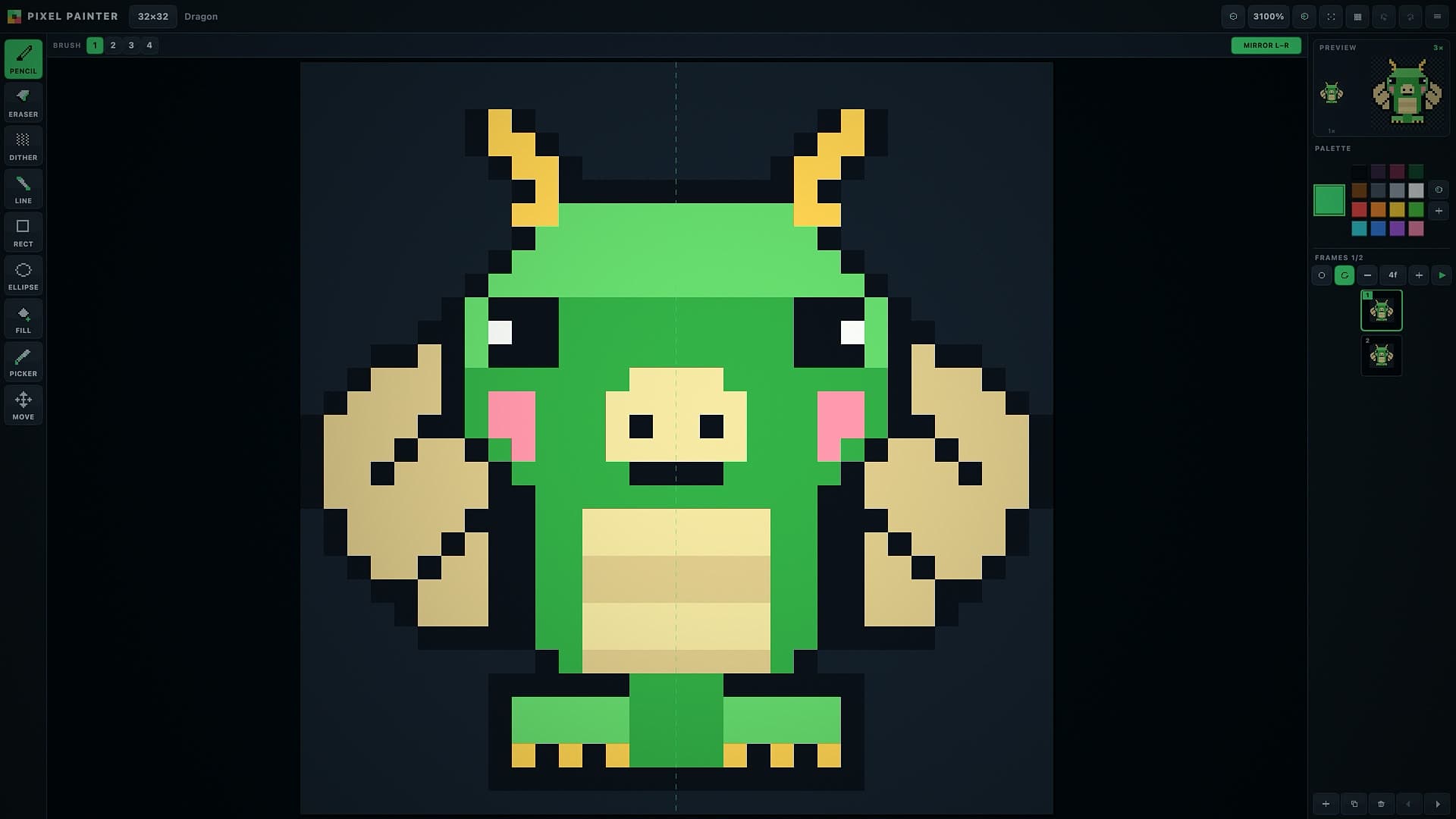
Pixel Painter is a small drawing tool built the way a pixel artist would want it: nothing is ever blurred, nothing is ever smoothed, and a canvas pixel is always a crisp square block of screen pixels. Boards come in eight shapes, from a chunky eight by eight up to a roomy sixty-four, plus two wide ones for side-on sprites and banners. A checkerboard shows through wherever you have not painted, a pixel grid can be switched on when you are counting squares, and the zoom goes from a thumbnail to one block filling half the screen.
The toolbox covers the whole job. Pencil and eraser come in four brush sizes, the dither pencil lays a checker for shading, and line, rectangle and ellipse draw in outline or filled. The bucket fills either the patch you tapped or every matching pixel on the board, the eyedropper lifts a colour straight off the art, and the move tool slides the whole frame around and wraps it at the edges. Mirror mode paints the other half for you — left to right, top to bottom or all four quarters at once — which is how faces, wings and spaceships come together in half the time. Ten curated palettes are on the shelf, from a four-shade handheld green to a sixteen-colour classic, a neon set and a candy set, and you can build your own with a hue, saturation and lightness picker and keep up to thirty-two slots. Fifty steps of undo per frame mean you can experiment without worrying.
Animation is built in. Add up to twelve frames, duplicate one to start the next, reorder them, and turn on the onion skin to see the frame before in blue and the frame after in red while you draw. The preview box in the corner runs the loop the whole time at actual size and blown up, so you can watch a walk cycle come together while you are still drawing it. Play it back anywhere from two to twenty-four frames a second, with the loop on or off. Sixteen starter sprites — a knight, a dragon, a slime, a cat, a rocket, a heart, a coin, a tree, a house and more — give you something to take apart if you would rather not start from an empty board. Projects are kept in your browser so you can come back to them, and when a sprite is done you can save the frame as a PNG at one, four, eight or sixteen times size, or save every frame side by side as a sprite sheet ready to drop into a game.
Draw, colour, design and make music.
Pixel Painter
Draw sprites, animate them, export them